Survey Settings
Survey Settings in PollPe allow you to control how your survey appears, behaves, and interacts with respondents. From display tweaks to access scheduling and real-time alerts, you can fine-tune the experience to match your campaign goals.
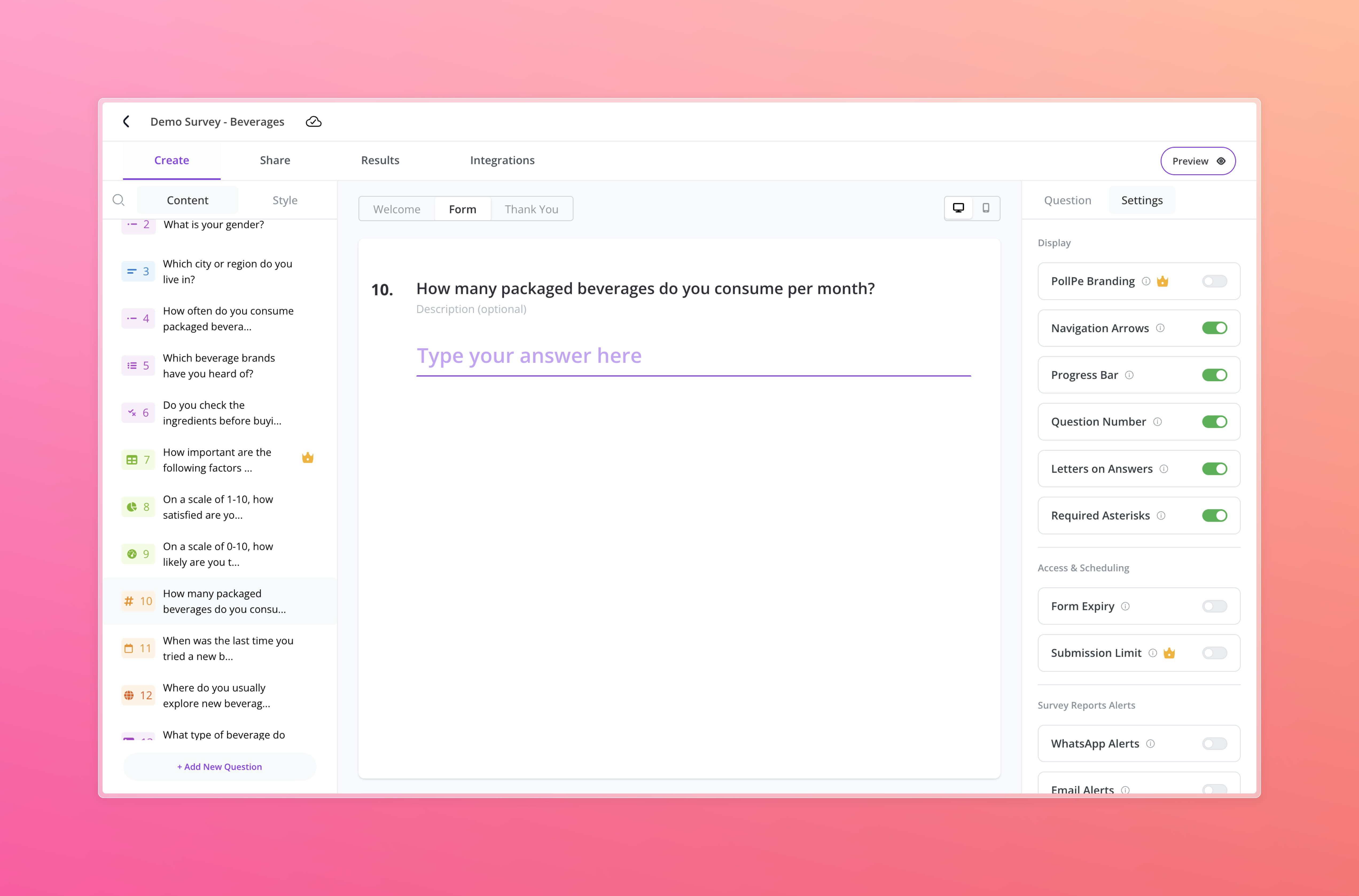
Display Settings
Use these toggles to control how your survey looks and navigates. Each setting can be hidden using the toggle switch:
PollPe Branding
Toggle to show/hide PollPe's default branding (available in premium plans only).
Navigation Arrows
Toggle to show/hide forward and back arrows for easier navigation between questions.
Progress Bar
Toggle to show/hide a visual indicator of how far the respondent has reached in the survey.
Question Number
Toggle to show/hide the question number above each form field.
Letters on Answers
Toggle to show/hide prefixes (A, B, C, etc.) for answer options in multiple/single choice questions. This also helps with accessibility by allowing keyboard selection using letter keys.
Required Asterisks
Toggle to show/hide red asterisk (*) markers for mandatory questions to guide respondents clearly.
Access & Scheduling
Manage how long and how often your survey can be accessed:
Form Expiry
Set a date/time after which the survey will automatically close. Great for time-bound campaigns or contests.
Submission Limit
Set a maximum number of responses after which the form becomes inactive. (Premium feature)
Survey Reports Alerts
Get notified when responses start flowing in:
WhatsApp Alerts
Receive response summaries or updates on WhatsApp (requires configuration).
Email Alerts
Enable instant email notifications for every submission or daily summaries.
Other Settings
Useful tools for better respondent experience and data capture:
Form Resubmission
Allows respondents to re-submit the form if needed — useful for internal teams or beta feedback loops.
Autosave Progress
Saves form progress automatically so that respondents can resume without losing input if they reload or return later.
Default Language & Translation
PollPe supports multi-language surveys out of the box with our Genie translator.
Primary Language
Select the base language for your survey (default: English).
Add Translations
Translate your survey instantly to other Indian and global languages like Hindi, Tamil, Gujarati, Bengali, Telugu, Arabic, Chinese, Spanish, and more.
Just select the desired languages to update default UI elements like placeholders and buttons. For full translated content (question labels, descriptions, answer options), users will need to manually input translations.
Note: Automated translation for all survey content is available only in the Enterprise plan.
By configuring these options under Survey Settings, you can create a seamless, on-brand, and intelligent survey experience tailored to your target audience.