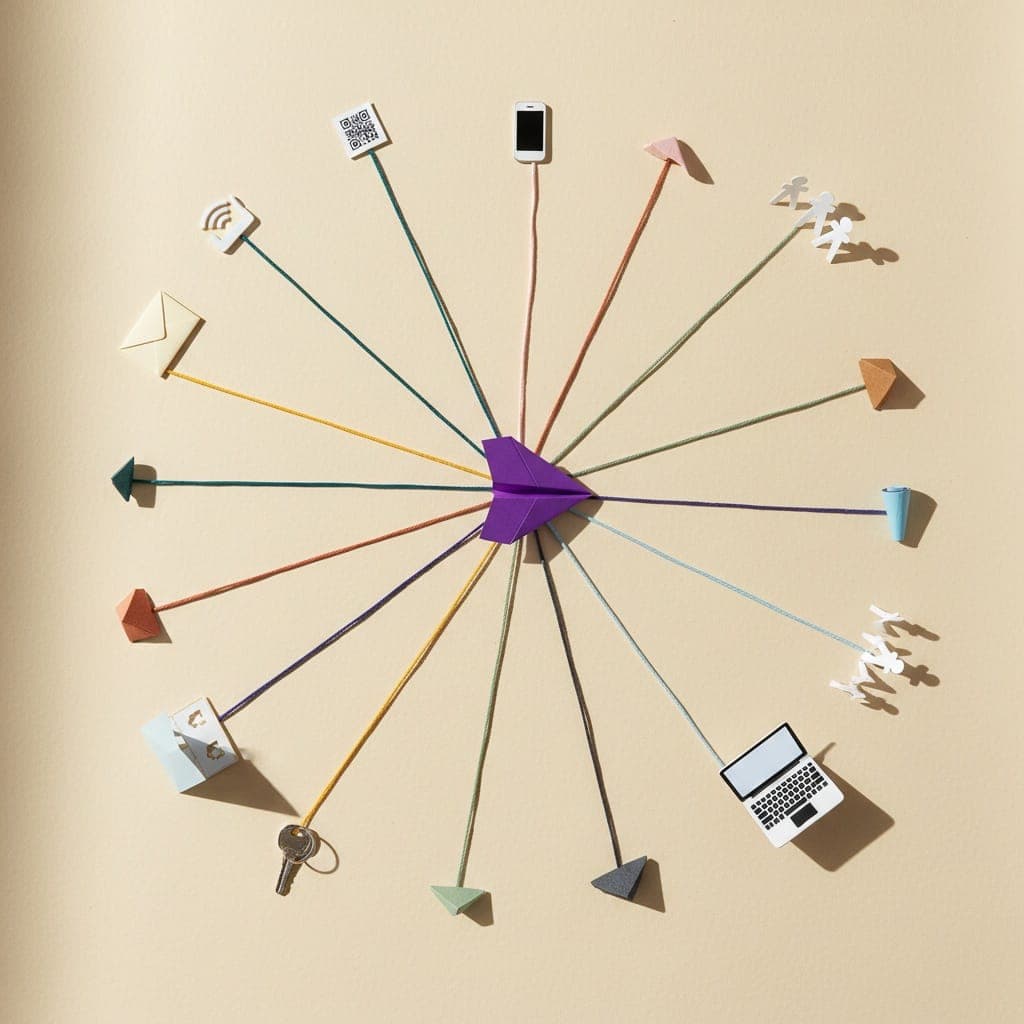
You distribute surveys via email, embedded widgets, QR codes, SMS and WhatsApp, social media, in-app prompts, direct links, panels, and intercepts. The right mix depends on your audience and the question you are asking. A churn study needs different plumbing than a post-purchase NPS pulse. A B2B feature validation survey lives or dies on a well-timed email plus a follow-up nudge. A consumer brand running a Hindi-first study in Tier 2 India is better off on WhatsApp than on a desktop email blast. This guide walks through all nine channels, the response rate ranges you can realistically expect from each, and the setup details that separate a 4% completion rate from a 28% one.
Key Takeaways
- There is no single best distribution channel. Match the channel to your audience's daily habits and the urgency of the question.
- Email still wins for B2B (typical 10 to 30 percent response). WhatsApp and SMS dominate consumer studies in India (often 25 to 45 percent).
- In-app and intercept surveys catch users in context, which means shorter responses but higher relevance.
- Response rates double when you combine two or three channels with a 48 to 72 hour gap between touches.
- Length, mobile UX, and incentives explain most of the variance. Subject line is the second biggest lever after channel choice.
Why distribution beats survey design
A perfectly written 8-question survey that 12 people see is worth less than a clumsy 14-question survey that 600 people complete. Most teams obsess over question wording and skip the distribution plan. That is backwards. Sample size, sample quality, and timing all live in the distribution layer.
Distribution is also where cost compounds. If your tool caps responses, you pay per extra completion right when the survey is finally getting traction. That is one reason teams running serious distribution programs move away from Typeform (10 responses per month on the free plan) or SurveyMonkey (response caps on lower tiers) and pick tools with unlimited responses on the free tier, like PollPe Survey Builder. You should not be rationing the answers you spent effort collecting.
1. Email
How it works: You send the survey as a link inside a transactional or marketing email, ideally personalized with the recipient's name and a specific reason for asking.
Best for: B2B audiences, post-purchase NPS, customer success check-ins, employee surveys, alumni or community outreach.
Typical response rate: 10 to 30 percent for warm B2B lists. Cold outreach drops to 1 to 5 percent. Internal employee surveys can hit 50 to 70 percent.
Setup tip: Embed the first question directly in the email body when your tool supports it. One-click answer flows lift completion by 30 to 50 percent because users finish the first action before deciding whether to commit.
Pitfall: Sending from a no-reply address. Replies to surveys often contain the most useful qualitative feedback. Use a real inbox a human monitors.
2. Embedded on your website
How it works: A survey lives inside a page on your site, either as a full-page form or a sidebar widget. Common on pricing pages, help center articles, and blog posts.
Best for: Visitor intent research, content feedback, pricing page friction studies, documentation quality.
Typical response rate: 2 to 8 percent of page visitors, but the signal is strong because respondents are in active research mode.
Setup tip: Place the survey below the fold on high-intent pages. Triggering on scroll depth (around 60 percent) avoids pestering bouncers.
Pitfall: Treating it as set-and-forget. Embedded surveys go stale fast. Rotate the question every four to six weeks or rates collapse as repeat visitors learn to ignore the widget.
3. QR codes
How it works: A printed or on-screen QR code points to your survey URL. Customers scan with their phone camera and complete on mobile.
Best for: Retail stores, restaurants, events, packaging, hotel rooms, conference booths, in-store kiosks, delivery slips.
Typical response rate: 1 to 5 percent of people exposed, but volume can be enormous in high-traffic locations.
Setup tip: Add a one-line incentive next to the QR ("Scan to win 500 rupees off your next order"). Naked QR codes with no context get scanned at a fraction of the rate.
Pitfall: Sending QR scanners to a desktop-optimized survey. Mobile rendering is non-negotiable. PollPe forms render natively on mobile, so this one is handled by default, but if you build in a desktop-first tool, audit on a real phone before printing 10,000 receipts.
4. SMS and WhatsApp
How it works: You send a short message with the survey link. WhatsApp Business API allows richer templates, including buttons. SMS is plain text with a shortened link.
Best for: Consumer audiences in India and emerging markets, post-delivery feedback, appointment follow-ups, time-sensitive pulses.
Typical response rate: 25 to 45 percent on WhatsApp for transactional follow-ups, 10 to 20 percent on SMS, depending on copy and timing.
Setup tip: Localize. A WhatsApp survey in Hindi or Tamil pulls dramatically higher rates from non-English-first respondents than the same survey in English. PollPe Survey Builder supports 15 languages on the Business plan, including Hindi, Telugu, Tamil, Marathi, Bengali, and more. For an India-wide consumer study, building the survey once and translating it inside the tool saves hours and avoids the formatting drift you get when juggling Google Sheets and translators.
Pitfall: Sending at 11 pm. Time of day matters more on mobile messaging than on any other channel. Aim for 10 am to 1 pm or 6 to 8 pm local time.
5. Social media
How it works: You post the survey link organically on LinkedIn, X, Instagram, or in a community (Slack, Discord, Reddit, Facebook Groups). Paid versions run as ads.
Best for: Audience research when you do not have a list yet, founder-led product validation, recruiting respondents for qualitative interviews.
Typical response rate: Hard to define since you measure on clicks not sends. Expect 0.5 to 3 percent of impressions to click through, with 30 to 50 percent of those completing.
Setup tip: Lead with the finding the respondent will get back. "Take this 90-second survey and I will share the aggregated results with you" outperforms "Help me with my research" by a wide margin.
Pitfall: Selection bias. Your Twitter followers are not your customers. Treat social-recruited samples as directional, not representative, unless you build in screening questions.
6. In-app or in-product
How it works: A survey is triggered inside your product based on user behavior, like completing onboarding, hitting a feature for the first time, or canceling a subscription.
Best for: Product feedback, feature satisfaction, onboarding diagnostics, churn surveys, NPS pulses.
Typical response rate: 5 to 15 percent of triggered users complete. Microsurveys (one or two questions) hit the high end.
Setup tip: Trigger on a meaningful event, not on a time delay. Asking for feedback right after a user finishes their first successful action gets honest signal. Asking 30 seconds after page load gets noise.
Pitfall: Frequency capping. If users see a survey every other session, you are training them to dismiss the widget. Cap at one per user per 30 days minimum.
7. Direct links
How it works: You share a clean URL however you want, through email signatures, calendar invites, chat messages, podcast show notes, Notion pages.
Best for: Long-tail distribution, internal team requests, anywhere you need flexibility without a templated channel.
Typical response rate: Wildly variable, depends entirely on how warm the audience is.
Setup tip: Use a branded short link and add UTM parameters per source. You want to know whether the responses came from your Slack message, your email signature, or the link in your conference talk.
Pitfall: No tracking. Without UTMs you have no idea which placement is doing the work, and you cannot improve the next survey.
8. Panels (built-in respondent pools)
How it works: You buy access to a pre-recruited pool of respondents who match a demographic or behavioral profile. Some survey tools offer this natively, others integrate with third-party providers.
Best for: Market research, concept testing, demographic studies, situations where you do not have your own list and need a representative sample fast.
Typical response rate: Usually 60 to 90 percent because panelists are paid and pre-screened. The metric that matters is completion quality, not raw rate.
Setup tip: Use attention checks. Even paid panels have straight-liners. One trap question per 10 real questions is the industry standard.
Pitfall: Cost. Panel responses run from $1 to $20 each depending on specialty. For 500 responses on a niche B2B audience you can easily spend $5,000 to $8,000. Compare against organic distribution before committing.
9. Intercepts and popups
How it works: A modal or slide-in survey appears based on a trigger: time on site, exit intent, scroll depth, or a specific page visit. Most aggressive of the embedded family.
Best for: Conversion research on landing pages, exit-intent feedback on checkout abandonment, quick polls.
Typical response rate: 1 to 5 percent of triggered users. Sounds low, but volume is huge if you trigger on a busy page.
Setup tip: Keep it to one question. Two if you must. Exit-intent surveys with five questions get under 1 percent completion. A single "What stopped you from buying today?" with three preset answers can hit 8 to 12 percent.
Pitfall: Mobile popups are penalized by Google for SEO. Use a banner or footer slide-in on mobile, not a full-screen modal.
How to pick the right channel
Three questions get you 80 percent of the way to the right answer.
| Question | If yes, lean toward |
|---|---|
| Do I have an email list of warm contacts? | Email plus follow-up |
| Is my audience primarily on mobile, in India or emerging markets? | WhatsApp, SMS, QR |
| Do I need contextual feedback about a specific action? | In-app, embedded, intercept |
| Do I need a representative sample I cannot recruit myself? | Panel |
| Is my goal awareness or recruiting for interviews? | Social, direct links |
A common pattern for a product launch survey: email blast to existing users (day 1), in-app trigger for active users (day 2), WhatsApp follow-up to non-responders (day 4), social post for net new audience recruiting (day 5). Three channels, layered.
6 tactics that lift response rate on every channel
These work regardless of where you send the survey from.
Subject line and opening hook
The first six words decide whether anyone opens. "Quick question about your onboarding" outperforms "Customer Feedback Survey - Please Respond." Specificity wins. Mention the topic, not the activity.
Mobile-first design
Over 70 percent of survey traffic is mobile. If your survey requires pinch-to-zoom or has fields that get covered by the keyboard, completion drops by half. Test on a real phone before launch, not just in the desktop preview.
Length discipline
Completion rate falls roughly 5 to 10 percentage points for every minute of survey length past the three-minute mark. Cut anything that does not change a decision. If you need a long survey, split it into two. Need a refresher on which question types respect the user's time? Our question types guide covers when to use a rating scale versus a ranking versus an open text field.
Incentives, used carefully
Small incentives lift response rates by 10 to 30 percent. Large incentives attract incentive-seekers who lower data quality. A discount code, a chance at a gift card, or a copy of the aggregated report all work. Cash to strangers attracts noise.
Timing
Tuesday, Wednesday, and Thursday between 10 am and 2 pm in the respondent's timezone is the safe default for B2B email. WhatsApp and SMS work later, into early evening. Avoid Mondays (overflowing inboxes) and Fridays after 3 pm.
Follow-up sequencing
Send one reminder to non-responders 48 to 72 hours after the first touch. A second reminder a week later catches another 5 to 10 percent. More than two reminders, and you are training your audience to ignore you. For deeper tactics, our guide on how to improve your response rates covers the sequencing math in more detail.
Transparency
Tell people why you are asking, how long it will take, and what happens with the data. "This takes 90 seconds. We share aggregated results with everyone who completes." That single line moves completion by 10 to 20 percent.
Where PollPe Survey Builder fits
A few practical reasons we built PollPe SB the way we did, relevant to distribution specifically:
- Unlimited responses on the free tier. When you blast a survey to 5,000 customers, you should not hit a response cap and lose the back half of your data. Typeform's free plan caps at 10 responses per month. SurveyMonkey caps too. PollPe does not.
- AI survey creation with Aria. Standard mode is free. Describe the study you want to run ("post-purchase NPS for a D2C skincare brand, three questions, conversational tone") and Aria drafts the survey. Speed to launch matters when you are running a multi-channel distribution sequence.
- 15-language support on Business. Hindi, Tamil, Telugu, Bengali, Marathi, Gujarati, Kannada, Malayalam, Punjabi, and more. Essential for WhatsApp and SMS distribution to non-English Indian audiences.
- Typeform-quality UX at a fraction of the price. Starter at ₹400/month, Business at ₹2,500/month. Compare against Typeform's $25 to $99 per month tiers and the math gets obvious fast. Pricing details.
Create a free account and ship your first multi-channel survey today.
FAQ
What is the best day to send a survey?
Tuesday and Wednesday mornings consistently win for B2B email. Open rates peak between 10 am and noon in the recipient's local time. For consumer WhatsApp and SMS, midweek early evenings (6 to 8 pm) outperform weekday mornings. Avoid Mondays and Friday afternoons.
What is the ideal survey length?
Five to seven questions or 90 seconds is the sweet spot. Each additional minute past three minutes drops completion by roughly 5 to 10 percentage points. If you need more depth, split into two surveys or invest in a panel where respondents are compensated.
What are realistic response rate benchmarks?
Internal employee: 50 to 70 percent. B2B warm email: 10 to 30 percent. WhatsApp transactional follow-up: 25 to 45 percent. SMS: 10 to 20 percent. In-app prompt: 5 to 15 percent. Intercept popup: 1 to 5 percent. Cold email or social: under 5 percent. Panel: 60 to 90 percent. Use these as sanity checks, not as targets.
Should I pay for distribution or rely on organic?
Start organic for warm audiences (your customers, list, community). Pay for panels only when you need a representative sample of people you cannot reach. Paid social ads for survey recruitment rarely beat well-crafted organic posts on cost per completion.
How many channels should I use at once?
Two to three is the sweet spot for most studies. One channel undersamples. Four or more creates duplicate exposure (the same person gets the survey on email, WhatsApp, and in-app) and inflates abandonment. Layer two channels with a 48 to 72 hour gap, then add a third for stragglers if response is below target.
Wrapping up
Distribution is the most under-invested part of survey programs and the highest-leverage one. Pick the two or three channels that match your audience, write a real subject line, design for mobile, cap the length, and follow up once. Do that and your response rates will roughly double from whatever you are seeing now.
If you want a survey tool that does not punish you for actually getting responses, start free on PollPe Survey Builder. Unlimited responses on free, AI-assisted question writing with Aria, and 15-language support when you need to ship a Hindi WhatsApp survey by Friday. While you are setting up your next study, the guide on customer experience feedback questions is a useful companion read.